Lead Generation List Setup for Outbound Teams
Build a lead generation list operators can mail: fit fields, verified emails, suppression, warming, and the inbox rules that decide placement.
The most common advice about building a lead generation list is to narrow the filters, export more contacts, and start sending. That skips the expensive part. An export can contain valid addresses that belong to the wrong people, outdated accounts that no longer fit, and contacts who already opted out. Sending more of those rows doesn't create more pipeline. It creates more cleanup and more risk for the sending domains.
What a Lead Generation List Is Worth Sending
A lead generation list is the set of accounts and people an outbound team intends to contact through domains and inboxes it controls. It isn't finished when a database produces a CSV. It's finished when the operator can explain why each account fits, why each person matters, and why that address is eligible for outreach.
List quality affects whether recipients welcome the message, ignore it, or report it. It doesn't independently determine primary-folder placement. Authentication, sending behavior, message content, and recipient reactions also matter. A clean list is a necessary sending input, not an inbox-placement guarantee.
Company Fit Comes Before Contact Discovery
The company screen comes first: industry, geography, employee or revenue band, and a written reason the offer matches. A staffing firm targeting commercial contractors, for example, needs evidence of relevant hiring needs, not merely a construction classification.
Person relevance comes second. The record needs a current role, appropriate seniority, and a work email checked on a known date. Personal free-mail addresses, generic role inboxes, and titles copied from former employment shouldn't enter a person-level cold email sequence.
The usable pool includes only records that pass these checks:
- Fit: The company matches the ideal customer profile, with a readable evidence sentence.
- Identity: The named person and current employment are supported, with a dated work-email verification.
- Contactability: The address belongs to a person-level inbox suitable for the campaign.
- Suppression: The record doesn't match an exclusion that blocks outreach.
Count the Qualified Pool
Consider an illustrative export containing 1,000 rows. Suppose 640 pass all four checks. The qualified pool is 640 records, and the pass rate is 64%. These are hypothetical figures, not performance benchmarks.
Accepted opportunities should be measured against the validated pool, not the original export. A report showing only imported contacts hides the usable denominator and makes weak sourcing look productive.
Practical rule: A row earns sending eligibility through evidence and checks, not through its presence in a purchased file.
The field table below is the working starting point. It separates list types and required fields before record enrichment, complaint controls, domain warming, refresh decisions, compliance records, and the final launch gate become operational responsibilities.
List Types and the Fields Each One Needs
Lead generation list types and required fields
| List type | Job it does | Minimum fields | Do not send when |
|---|---|---|---|
| Fit screen | Decide if the account can buy | Industry, geography, employee or revenue band, evidence the offer matches | Outside the ICP or the evidence field is empty |
| Verified contact | Supply a mailbox that exists | Name, role, seniority, verified work email, validation status and date | Role inbox, unchecked catch-all, personal domain, or failed verification |
| Intent layer | Choose timing and angle | Hiring, funding, expansion, tech change, leadership change, or regulatory event, plus fit and intent scores | No timing signal: keep the account, move it to the lower-frequency queue |
| Buying-group map | Cover more than one stakeholder | Account ID, deal role, link to the primary contact | The same copy would go to every employee at the account |
| Suppression file | Keep opted-out and bad-fit people off future sends | Email, opt-out or bounce date, source, reason, customer or competitor flag | The address matches this file, including a brand-new export |
| Nurture queue | Hold high fit and low intent | Identity fields, last touch date, next eligible date | Recent opt-out, complaint, or a job change that hasn't been rechecked |
These are separate governed files, or separate database views, joined through a shared account key. Blending them into a single unrestricted export makes it too easy for a researcher to mistake a timing signal or stakeholder name for permission to sequence a contact. Only the verified contact file should feed the sequencer, after exclusion checks.
Separate Fit From Timing
Fit answers whether the company can reasonably buy. Intent answers whether there's a credible reason to approach it now. A hiring announcement can support timing, but it doesn't rescue an account outside the service area or buying profile.
Routing should reflect that distinction:
- High fit and high intent: Assign a short, personalized sequence tied to the observed business event.
- High fit and low intent: Hold the account in a lower-frequency queue with an explicit next eligible date.
- Low fit: Suppress the account from this engagement rather than inventing a personalization angle.
The buying-group map serves another purpose. A user may understand the problem, a champion may drive the project, finance may question the cost, and an executive may approve the purchase. Booking a conversation with one person doesn't establish agreement across those roles.
Make Hygiene an Import Requirement
In Salesforce's 2026 State of Sales report, 46% of sales professionals with AI agents say data-quality issues harm sales, while 74% of AI-enabled sales teams prioritize data hygiene. Automation needs controlled inputs; it doesn't make incomplete records safe to use.
Every upload should therefore require deduplication keys, source timestamps, validation status, CRM ownership, and an evidence field. A missing value should block import rather than become a task someone promises to finish after launch.
Suppression deserves its own persistent file because exports change while exclusions must survive. For the engagement, opt-outs, hard bounces, customers, competitors, and rejected leads remain excluded. A later refresh must not overwrite that history.
For an operation starting with a raw export, verified contacts plus suppression come first. Intent scoring can wait. Preventing an invalid or excluded address from entering automation can't.
Sourcing Channels and What Each One Adds
Source selection comes before record building because each channel supplies different evidence. A contact database may provide an address and title. A company hiring page may explain why the account is worth approaching. Neither substitutes for the other.
Sourcing channels and the fields each must store
| Channel | What it adds | Fields to store | Limit |
|---|---|---|---|
| Owned cold email | Direct mailbox for a verified contact | Work email, validation date, source URL | Works only from authenticated, warmed domains |
| Social and LinkedIn outreach | Timing and role signals | Profile URL, role, signal date | Response rate depends on the respondent set, so test it |
| Referral and partner introductions | Warm access to account and stakeholders | Introducer, intro date, named contacts | Small volume, mail only the people named |
| Intent and signal feeds | Timing for accounts that already fit | Signal type, signal date, fit score | Signals decay, so recheck before launch |
| Custom API and selective scraping | People missing from shared databases | Query or URL, pull date | Review each source's terms before use |
Match the Source to the Missing Field
Owned cold email is a practical default for a defined ICP because the operator controls scheduling, follow-up, and reply handling. The record still needs a traceable source. An email address alone doesn't explain where the contact came from or whether the role is current.
Social activity can add useful context. In HubSpot's 2025 survey of 1,000 sales professionals, 35% named social media as their top source of high-quality leads, while 42% reported their highest cold-outreach response rate from social outreach, versus 26% from email. Those are respondent reports, not guaranteed channel outcomes for a particular outbound team.
A relevant profile update or discussion can support role selection and message timing. Store the profile URL and observation date rather than copying a vague label such as active on social.
Preserve the Limits of Each Channel
Referrals provide context but aren't blanket permission to contact an entire department. Operators should record who made the introduction and restrict the initial approach to the named people.
Signal feeds and custom API pulls offer broader coverage, but they require verification. A funding event can be old, a scraped title can be stale, and a public page can carry restrictions on reuse.
Email remains relevant: Cirrus Insight's summary attributes to Sopro's State of Prospecting 2025 the finding that 73% of B2B buyers preferred email as their primary vendor-communication channel. Channel preference doesn't remove the need for relevance, lawful processing, or a working opt-out.
How to Build and Enrich Each Record
Say a specialist service provider sells recruitment support to commercial contractors. The account build should establish an actual match before anyone spends time finding an executive's email.
Build Evidence Before Outreach
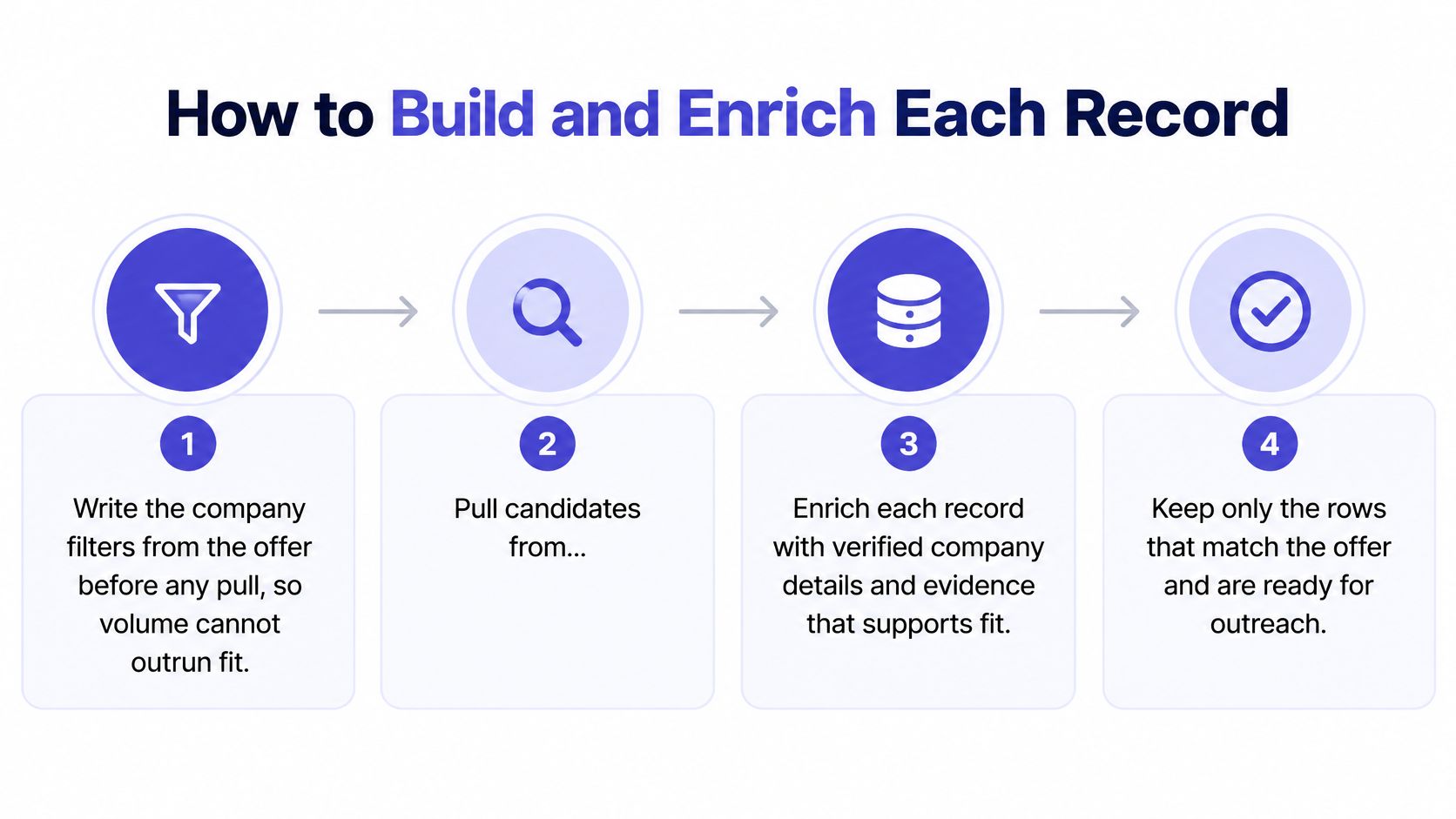
Write the company filters from the offer. Define service area, company category, size band, and exclusions before pulling candidates. For the recruitment example, residential-only operators might fall outside the offer even when their industry labels look similar.
Pull candidate accounts from the selected channels. Preserve the source URL or API query on each row, along with the collection date. That makes questionable facts traceable instead of forcing another researcher to repeat the search.
Enrich in a waterfall. Confirm company facts first, identify the person whose function matches the problem next, and find the work email last. Paying to enrich contacts at excluded accounts wastes credits and review time. The mechanics of prospect research should support this order rather than start with whichever address is easiest to find.
Verify the email and store both the result and date. Remove free-mail domains, generic role addresses, and failed verifications from the sending candidate set. An unchecked catch-all blocks progression. A second independent check can support review, but conflicting or inconclusive results keep the row out.
Write the evidence sentence. For example: The contractor operates in the supported region and advertises the field roles covered by the recruitment offer. Keep observation separate from inference. An empty evidence field removes the row from campaign eligibility.
Control the Handoff
Map another stakeholder when the deal requires finance or executive approval. Keep separate identities and addresses for each role. Copying the primary contact's email into another stakeholder field creates false buying-group coverage.
Deduplicate before import. Use normalized company domain plus person email as a record key. Also check email alone across accounts and campaigns so an employment mismatch or duplicate export doesn't trigger parallel sequences.
Match the record against suppression, existing customers, and prior rejections. Any blocking match removes it from the active file. The rejection reason should remain visible so the next researcher doesn't rebuild the same unsuitable prospect.
Assign CRM ownership and sequence eligibility. Only after the gates pass should the contact receive an owner, approved copy, and a follow-up schedule. Existing account activity should be visible before automation begins.
Missing verification, missing evidence, or missing suppression status means no campaign entry, even when the title looks perfect.
The enriched record is now a candidate for sending, not an instruction to send immediately. Infrastructure health and recipient feedback still control whether the operator can release that segment.
Inbox Placement Rules the List Must Clear
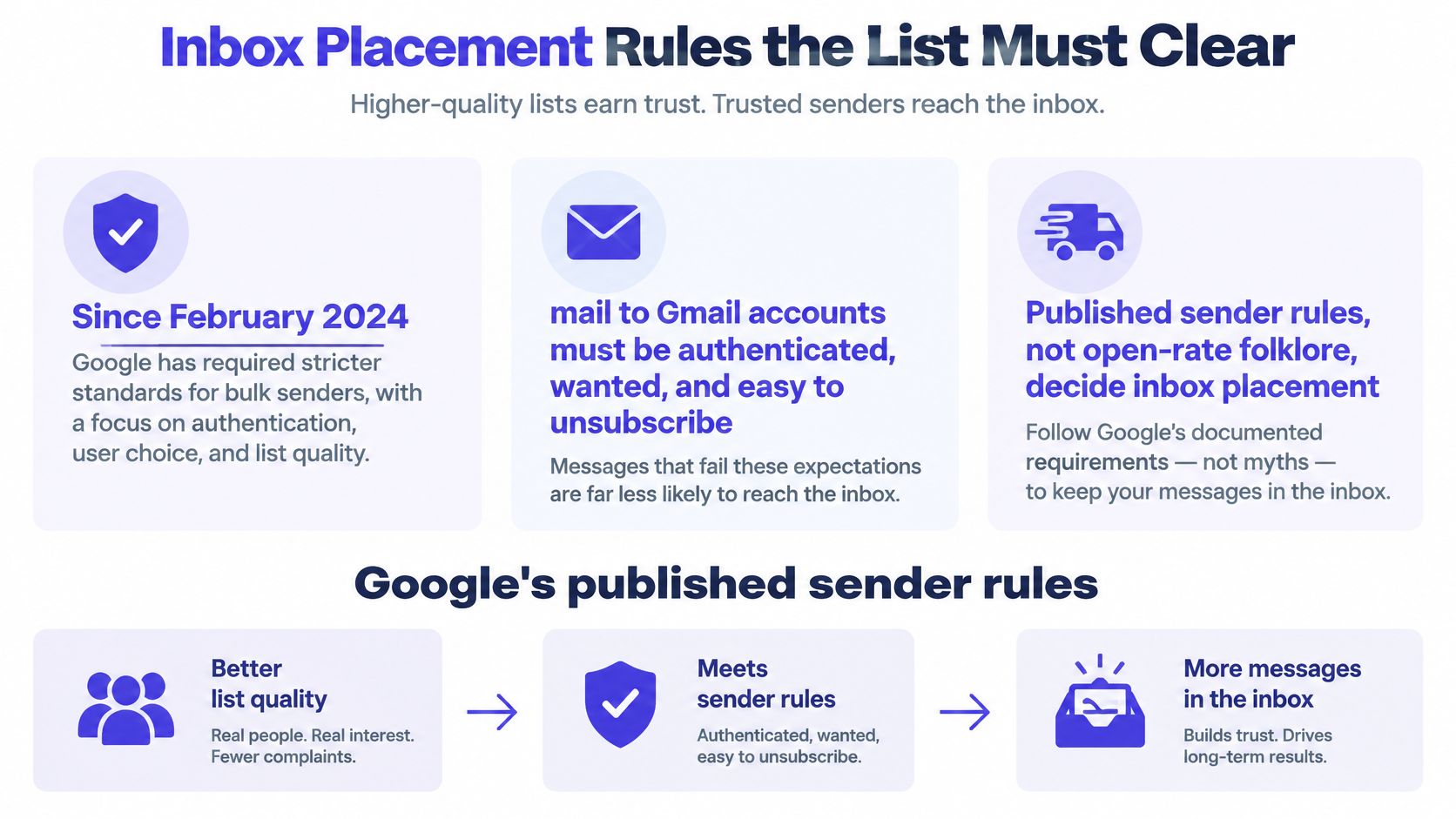
Google's email sender guidelines recommend a user-reported spam rate below 0.1% and warn against reaching 0.3% or higher, where mitigation support is unavailable; as simplified campaign arithmetic, 0.3% of 10,000 messages is 30 spam reports. The same guidelines introduced authentication, unwanted-mail controls, and easy unsubscribe requirements starting in February 2024.
That arithmetic shows how little room a poorly targeted segment leaves. It isn't a replacement for the provider's measured complaint denominator, and operators shouldn't calculate their own blended send-based percentage and assume it matches provider reporting.
Gmail spam thresholds for outbound lists
| Signal | Threshold | Operator action |
|---|---|---|
| Recommended spam rate | Below 0.1% | Keep mailing only while the domain stays under this line |
| Enforcement line | 0.3% or higher | Pause. Mitigation support is unavailable at this rate |
| Trend toward the line | Rising from 0.1% toward 0.3% | Cut volume and pull the segment causing complaints |
Diagnose the Segment, Not Just the Domain
Complaint monitoring should retain domain-level reporting and mailbox-level operational logs. Provider complaint visibility isn't always available for every inbox, so the operator must distinguish measured complaints from inferred trouble rather than fill missing fields with zero.
Campaign averages can conceal a troubled domain behind healthier senders. Each domain should remain tied to the segments, copy versions, and inboxes responsible for its traffic.
When complaints start climbing, the operator should reduce volume and isolate the source. Common list-related causes include:
- Poor account fit: A broad export receives an offer that doesn't address its business.
- Duplicate exposure: Separate inboxes contact the same person without shared coordination.
- Ignored exclusions: A refreshed export reintroduces an earlier opt-out.
- Misleading framing: The subject line implies an existing relationship or hides the commercial purpose.
Keep Placement Separate From Sales Quality
An open doesn't establish that a prospect fits, understood the offer, or intends to buy. Low recorded opens can also reflect tracking behavior or inbox categorization rather than a sourcing failure.
Operators should evaluate placement alongside positive replies, accepted leads, and rejection reasons. Copy review should check whether the subject, opening, and offer accurately reflect the source evidence. B2B sales email templates provide a starting structure, not a reason to send the same claim to unrelated segments.
The pause rule should be explicit: no new segment launches while an active domain is trending toward the enforcement line. Volume increases wait for stable infrastructure and recipient feedback. Identifiable complained addresses belong in suppression, not in another inbox's retry queue.
How to Warm Domains Before the First Send
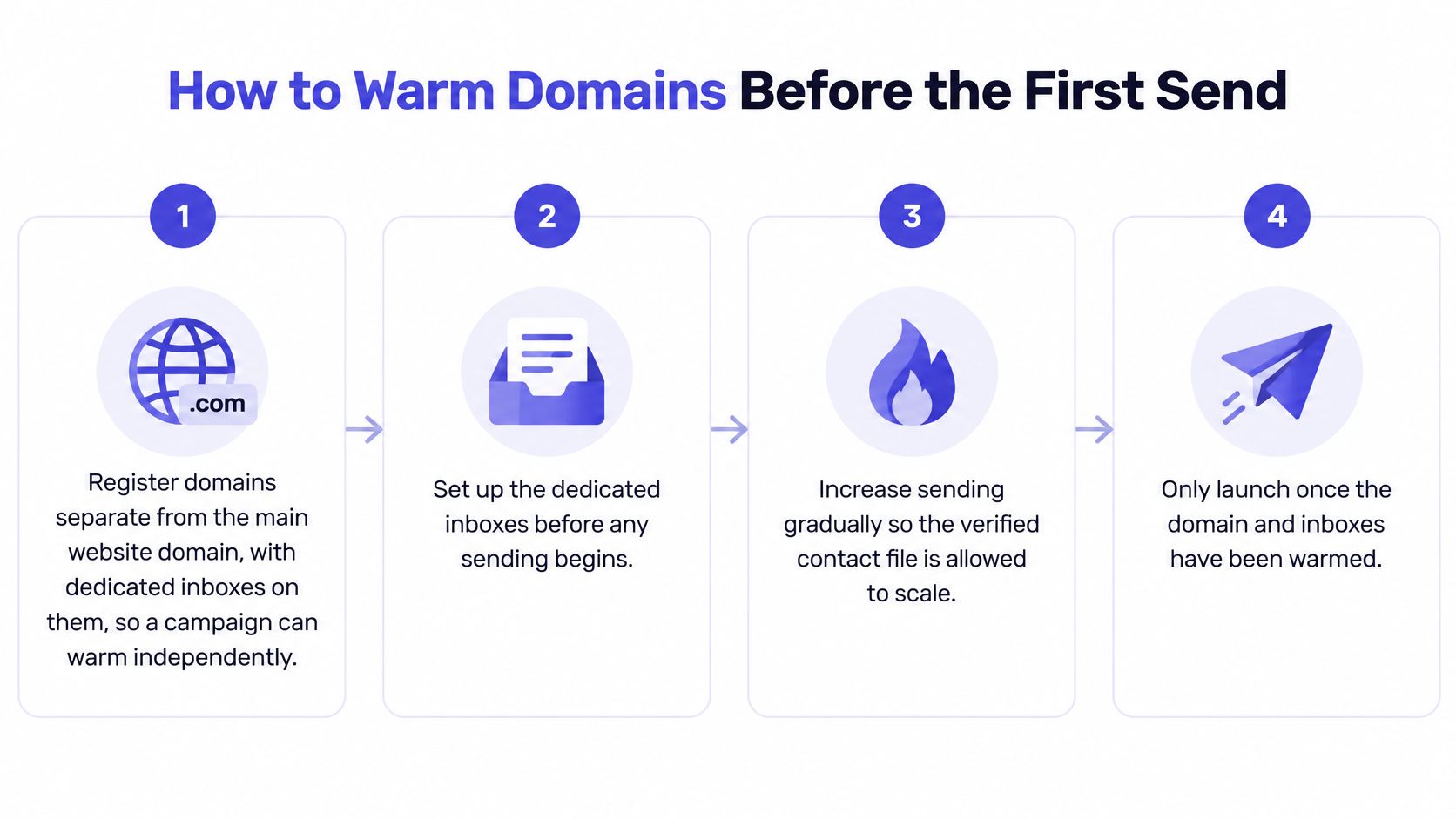
Warming should establish controlled sending behavior, not manufacture permission to push a large export through new inboxes. Separate outreach domains can reduce exposure of the main website domain, but they don't provide complete reputational isolation or justify disposable sending identities.
Authenticate Before Any Volume Increase
Microsoft's published high-volume sender requirements require SPF, DKIM, and DMARC compliance for domains sending more than 5,000 messages per day to Outlook, with DMARC set to at least p=none and aligned with SPF or DKIM, preferably both. Microsoft warns that noncompliant messages may go to Junk and eventually be rejected.
That threshold isn't a safe-harbor volume. Smaller senders should authenticate before launch too.
Establish dedicated infrastructure. Register clearly attributable outreach domains and create dedicated inboxes. Sender identity should remain recognizable rather than resemble an unrelated company.
Configure SPF to authorize the actual sending hosts. Remove obsolete services from the authorization set. A record existing in DNS isn't proof that the delivered message passes.
Enable DKIM signing. Send a test and inspect the received message's authentication results. The outgoing system must sign the mail with the intended domain.
Configure aligned DMARC. Confirm that the visible sender identity aligns with a passing authentication path. Policy publication and alignment are separate checks.
Apply provider requirements before scaling. Maintain authentication at every sending level rather than waiting for volume to cross a published boundary.
Test Mailbox Behavior, Then Raise Volume
Send seed messages to controlled Gmail and Outlook mailboxes. Inspect authentication results, routing, replies, and unsubscribe behavior. Seed placement is diagnostic evidence, not proof that every prospect will receive mail in the primary folder.
Begin with low daily volume and genuine correspondence. Synthetic warm-up activity can't prove that strangers will welcome the campaign. New inboxes shouldn't jump to full sequence volume because the contact file is ready.
Raise volume only when authentication continues passing and recipient feedback remains healthy. Include scheduled follow-ups in the capacity calculation. New prospects plus accumulated follow-ups determine actual load.
Maintain a domain log. Record daily sends, bounces, complaints where available, and the segment used. A domain without a traceable traffic history is harder to diagnose when delivery changes.
For manufacturing lead generation, the same discipline applies even when specialist sourcing produces a valuable account list. Hard-to-find contacts don't justify bypassing authentication or volume gates.
Launch gate: If SPF, DKIM, or DMARC fails, the list waits.
Setup timing should follow the assessment of infrastructure and market needs. A warmed inbox never becomes a route around an opt-out.
When to Refresh a List Before It Goes Stale
A lead generation list is a decaying sending input, not a permanent asset. Judge it by accepted opportunities and inbox placement, not by the number of rows in a CSV. A verification result is valid only as of its check date.
Track Mailbox and Commercial Accuracy
Mailbox accuracy concerns whether an address can accept mail. Commercial accuracy covers whether the contact still holds a relevant role, the company still fits the offer, and the buying group remains relevant.
A person may change responsibilities while their email address continues to work. An account may also stop using the technology that made it a good prospect. Bounce monitoring will not catch either change.
For example, a consultancy targeting companies adopting a particular technology should remove accounts that have dropped it from that segment. A valid address does not make an outdated buying context useful.
Run Refreshes From Events and Dates
Use clear triggers to decide when a record needs review:
- Employment changes: Confirm that the person still works at the account and owns the relevant function.
- Funding or hiring: Check whether the event is still current and supports the original outreach angle.
- Technology changes: Update installations, replacements, or removals that affect the offer's relevance.
- Website or positioning changes: Recheck service lines, territories, and customer focus against the ICP.
- Verification failures: Quarantine failed, ambiguous, or newly catch-all results instead of retrying automatically.
- Elapsed time: Recheck records whose validation dates fall outside the campaign's documented freshness policy.
Before launch, confirm email, title, company status, buying relevance, and account ownership. During an active campaign, event-driven changes should prompt a review rather than wait for a calendar cleanup.
Use the required-field table to identify which columns need updating. Keep old values in an audit history where useful, while showing current status to the sequencer. A changed role should pause pending follow-ups until someone confirms the contact is still relevant.
Stale rows waste research and personalization time, invite irrelevant replies, and weaken sales confidence in handoffs. Track qualified conversion per validated account alongside rejection reasons. Contacts uploaded measures workload, not list value.
Compliance Records Every List Must Carry
B2B prospecting isn't exempt because the recipient uses a company email address. The FTC's CAN-SPAM compliance guide explains that the CAN-SPAM Act of 2003 covers commercial messages, including business-to-business email, and requires accurate sender and routing information, non-deceptive subjects, commercial identification, and a valid physical postal address.
The same FTC guide requires a functioning opt-out mechanism to remain available for at least 30 days after sending, with unsubscribe requests honored within 10 business days.
Convert Duties Into Stored Records
A contact spreadsheet can't demonstrate campaign compliance on its own. The operator needs contact-level history connected to the actual message and sender.
| Operating duty | Record to retain |
|---|---|
| Trace where the contact came from | Lawful source, source reference, collection date |
| Identify the sender accurately | Sender identity and sending account used |
| Preserve the message sent | Copy version, subject, commercial notice, postal address |
| Operate the unsubscribe mechanism | Mechanism status and availability period |
| Honor the request | Opt-out status, request timestamp, suppression timestamp |
| Prevent accidental re-entry | Exclusion reason and import-match result |
The legal deadline is an outside limit, not an efficient operating target. Unsubscribes, identifiable complaints, and hard bounces should update suppression the same day. Every fresh import should match that file before entering any sending workflow.
A vendor's exclusion file doesn't replace the sender's own history. Outsourcing contact acquisition doesn't remove responsibility for accurate identification and unsubscribe handling.
Keep Personal Data Governable
For records identifying people in the EU, the EU's GDPR guidance supports treating source, processing purpose, accuracy, retention, and individual rights as controlled data-management responsibilities. Local electronic-marketing rules may also affect whether a particular outreach approach is permitted.
Operators should document the applicable processing basis rather than label all public business information unrestricted. Retaining a minimal suppression record to prevent renewed contact is a different purpose from retaining a complete prospect profile for marketing.
A practical audit starts with ten randomly selected rows, used as an operating sample rather than a statistical claim:
- Source evidence: Each row shows where the information came from and when it was collected.
- Verification history: The current work-email status has a date and an accountable process.
- Exclusion status: The operator can establish whether contact is permitted within the campaign's controls.
A missing record blocks launch until resolved. The suppression file must survive enrichment, CRM synchronization, and future exports. Ignoring an opt-out creates both a compliance failure and a foreseeable complaint risk.
Confirm the List Is Ready to Send
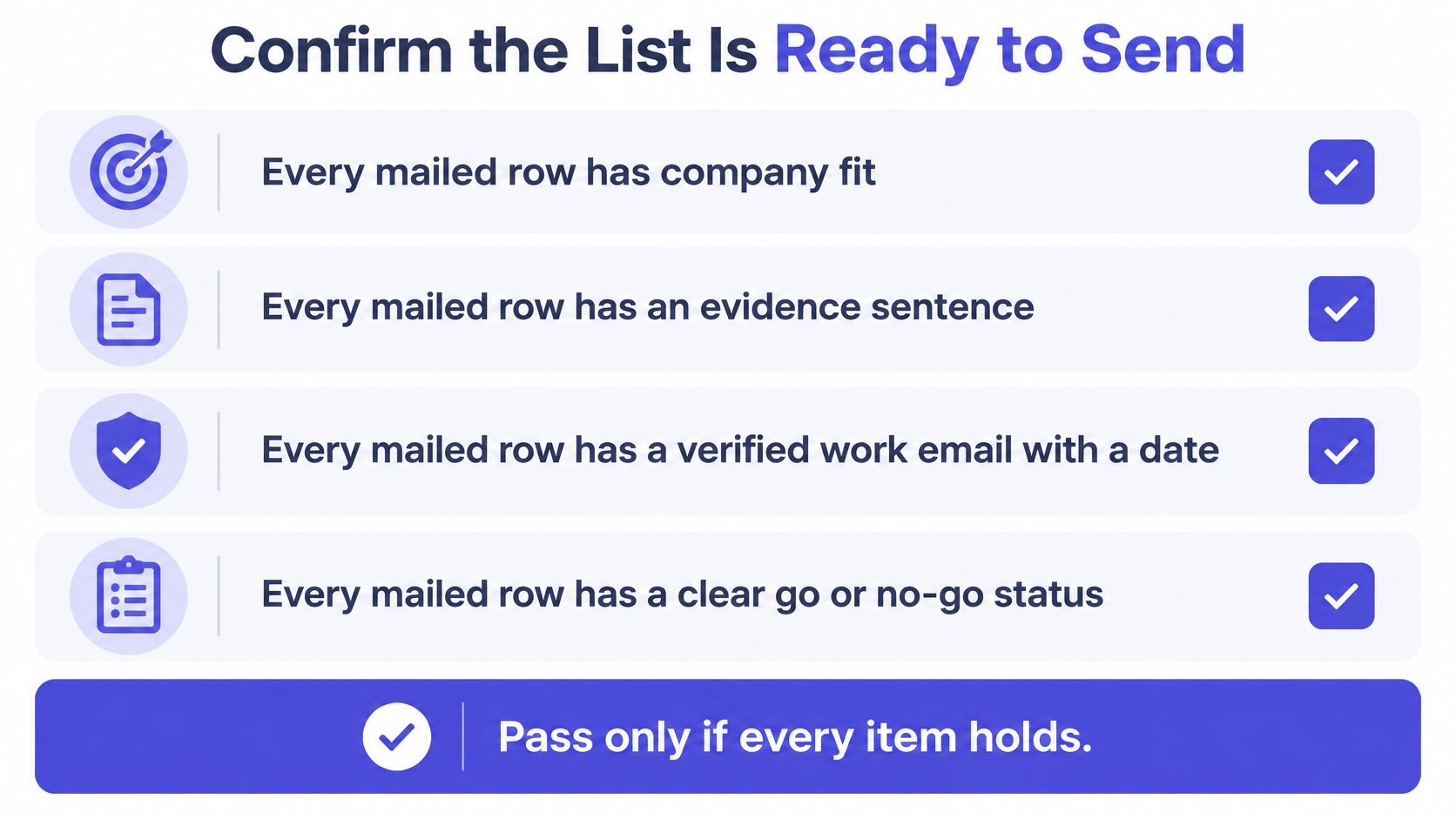
A lead generation list is ready when its records, sending setup, and operating ownership meet the campaign's release criteria. Row count alone does not show whether the list can produce accepted opportunities or protect inbox placement.
Apply the Release Gate
Use the verification and suppression controls described earlier in the article. Then confirm the campaign is operationally ready:
- Stakeholder coverage: The primary contact is identified, with another buying role mapped when approval requires it.
- Infrastructure: SPF, DKIM, and aligned DMARC succeed, and scheduled traffic stays within the warm-up plan.
- Recipient feedback: Complaint levels remain within the campaign's recommended range and show no worsening trend.
- Message handling: Sender identity, postal address, and commercial identification are present, and unsubscribe requests are processed within the required timeframe.
A failed control blocks release regardless of how strong the title or account looks. Fix the defect before buying more data or adding copy variants. Otherwise, sourcing, infrastructure, and messaging issues become harder to diagnose.
Decide Who Owns Daily Operations
A founder can run the system internally, but someone must own inbox review, failed verifications, reply classification, and sales handoff. Automation still requires an accountable operator.
IronPeak Marketing assesses a prospect's current situation, target market, and offer to determine whether its cold email system fits the company's growth goals. If it fits, setup includes custom domains, dedicated inboxes, copy, data enrichment, and tracking systems in under 15 days. The service then handles daily inbox management and follow-ups; the client attends the booked sales calls and owns closing.
Managed delivery works best when acceptance criteria, exclusion handling, and lead handoff are clear. Without them, activity is difficult to assess against qualified opportunities. A sending list is a governed input that changes over time, so confirm its records and operating controls remain fit for the campaign before release.
IronPeak Marketing's headline offer is 60–90 qualified leads in 45 days on a pay-per-result basis, with payment tied to qualified leads rather than exported contacts. Visit IronPeak Marketing to assess whether its service fits your offer, target market, and current outbound setup.