Lead Management and CRM: How Leads Move to Closed Deals
Lead management and CRM explained: lifecycle statuses, response-time benchmarks, data hygiene and handoff rules that keep qualified leads moving.
Four hundred leads came in last quarter and six meetings happened. The founder wants to know which of those two numbers is wrong.
Neither is. Somewhere between the form submission and the sales call, records were duplicated, ignored, reassigned, or closed without a reason. The leads arrived and then stopped moving, and nobody can point to where it happened because nothing in the stack was recording the moments.
The mechanics that decide whether a lead becomes revenue are unglamorous: a timestamp, an owner name, a due time, a reason code. Get those four right and most lead generation problems turn out to be fixable in a week. Get them wrong and a bigger list just produces a bigger pile of records nobody works.
How Lead Management and CRM Divide the Work
At 9am a prospect submits a form asking for pricing. By noon the record exists in the form tool, in a spreadsheet someone keeps "just in case", and possibly in the CRM. Nobody can say which version is current or whether anyone called. That isn't a lead quality problem. It's an ownership problem, and it happens because two different jobs got treated as one.
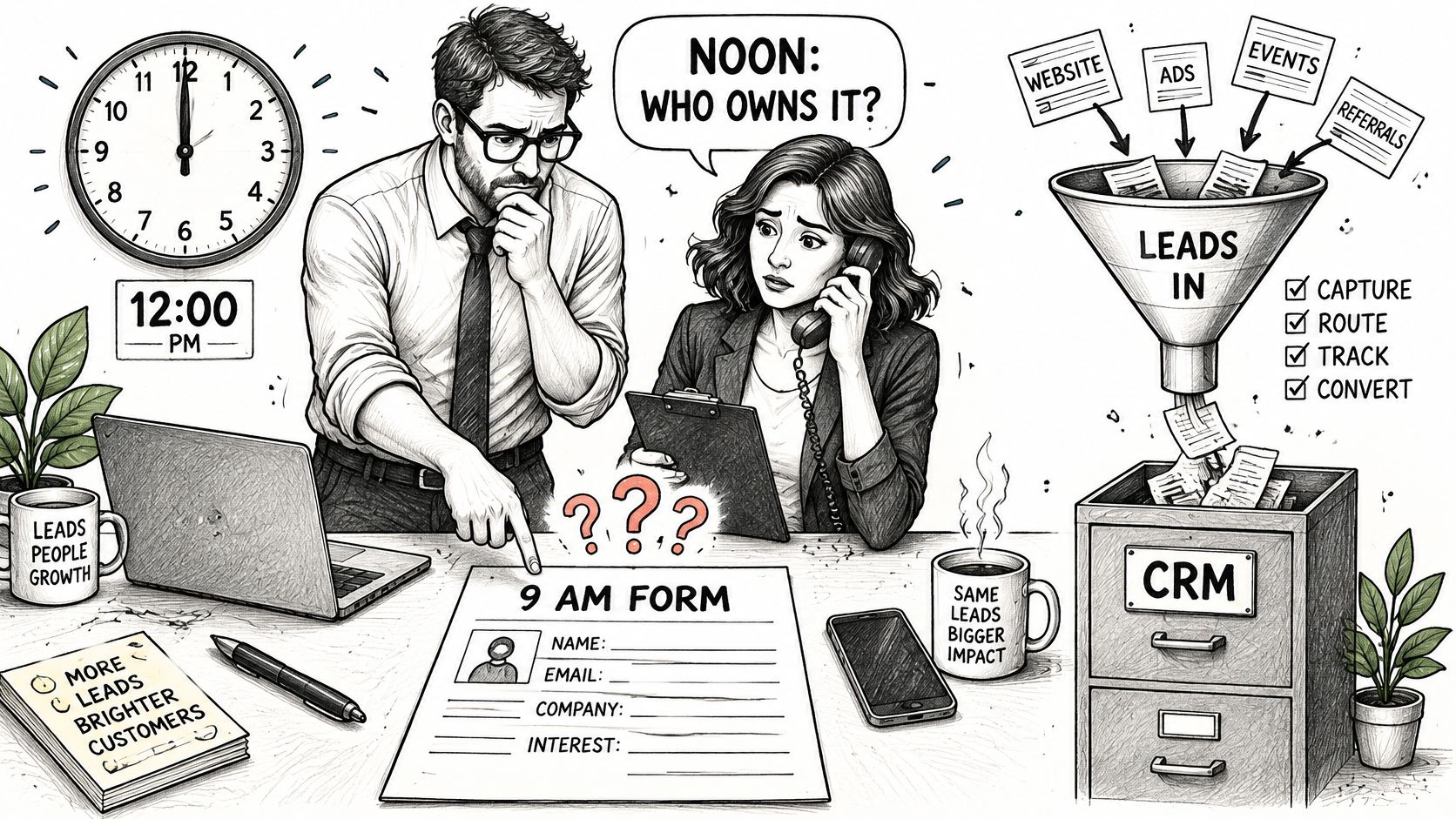
Think of a delivery company. Lead management is the dispatch desk. It takes the order from forms, cold email replies, list imports and referrals, checks it against the service area, decides which driver gets it, and puts a time on the ticket. The CRM is the logbook and the customer file: every address, every attempt, every conversation, every outcome, in order.
Most stacks bundle both, so the useful question isn't which product name a tool carries. It's which function each part of the workflow performs, and whether anyone has written down the rule. Two failure modes come out of that confusion, and they look completely different in a pipeline report.
- Lead management without a CRM: two reps email the same prospect in the same week, the reply history lives in someone's inbox, and there's no way to prove which campaign produced the meeting. Duplicate outreach like this is why buyers stop replying.
- A CRM without routing rules: the system stays perfectly clean and completely unused. New records land in a default queue, nobody gets notified, and the tool becomes a filing cabinet with a search bar.
There's a third failure that's harder to spot because it looks like productivity. A team gets busy generating prospects and importing names, and nobody notices that the last stage of the workflow, the part where a human makes contact, has no owner and no clock on it. That's a good moment to separate lead generation from prospecting activities, because the fix sits on one side of that line, not both.
Self-test: if a new prospect can be found, assigned, and timed without anyone opening a spreadsheet, the two functions are working together. If any of those three steps requires a person to remember something, the workflow is running on memory, and memory fails silently.
Lead Statuses From Capture to Closed Deal
A status is only worth having if it changes what happens next. Many teams carry too many stages and no entry rules, which is why a pipeline can look healthy while nothing inside it moves. Nine statuses cover a B2B lead from first contact to decision, and each one needs an owner and a record.
| Status | Entry rule | Owner | Record the CRM must hold |
|---|---|---|---|
| New | Form fill, reply or list import received | Lead management team | Source and creation timestamp |
| Qualified | Role, company and offer fit match the agreed profile | Lead management team | Completed qualification fields |
| Rejected | Fails criteria or data check | Lead management team | Reason code and feedback date |
| Assigned | Owner set and first task created | Sales rep or account owner | Owner name and due time |
| Contacted | First attempt logged | Sales rep | Attempt type, outcome and time |
| Meeting booked | Calendar slot confirmed | Sales rep | Meeting date linked to the record |
| Opportunity | Qualified conversation confirmed | Sales rep | Deal value and pipeline stage |
| Won or Lost | Decision made | Sales rep | Close reason and date |
Walk one record through it. A founder replies to a cold email saying she runs a 40-person agency and wants to see pricing. The reply is New the second it lands, carrying the source and a creation timestamp. It becomes Qualified when the reply is checked against the agreed profile: decision-maker role, company size inside the target band, offer fit. Assigned means a rep's name and a due time are on the record, and that should happen in the same automated step, not the next morning.
From there it stays Contacted until a first attempt exists in the log, with the attempt type, the outcome, and the time. Meeting booked requires the calendar slot to exist on the record itself, not in a rep's memory. Opportunity starts when a qualified conversation has happened and a deal value is entered. Won or Lost closes with a reason and a date, and that reason is what teaches the next campaign anything at all.
Rejected is a status, not a deletion
Deleting a disqualified lead destroys the feedback loop. Rejected is a branch off Qualified with a reason code attached, because a lead rejected for bad data and a lead rejected for poor fit have different owners and different fixes. One goes back to the list and enrichment process. The other goes back to targeting and offer copy.
The reason code is also the only honest way to answer the question every founder asks around month two: why is there activity but no usable opportunity?
Where statuses break down
The common failure is two teams believing they own the same status. Marketing thinks sales owns Qualified-to-Assigned. Sales thinks marketing still owns it until a call is booked. The record drifts between a marketing automation platform and the CRM, gets updated in neither, and disappears from both reports. One name per status, written down, ends the argument.
Operational rule: any lead without a next action date is stalled, whatever its status says. A lead sitting in Contacted for 11 days with no follow-up due is not in progress. It's abandoned with good paperwork.
Finding them takes one filter in a weekly review: next action date in the past, grouped by owner, sorted by age. Twenty minutes on a Monday catches the drift before a month of pipeline evaporates.
Why Response Speed Decides Lead Value
A prospect replies because a problem is live right now. A bad month, a competitor churn, a hiring freeze that just lifted. That urgency has a shelf life measured in hours. A reply that lands two days later arrives into a different week, competing with everything else on the buyer's desk, and the polite version of "we already sorted it" is what comes back.
That makes response speed a handoff rule, not a motivation slogan. The lead's value is capped by the time between reply and first real attempt. A CRM can store the lead, assign the owner and track the task, but if nobody contacts the person while intent is still active, the record becomes a tidy receipt for a missed opportunity.
The 2011 Harvard Business Review response test covered by Callingly submitted online test leads to 2,241 U.S. companies. The results show how uneven that first response can be.
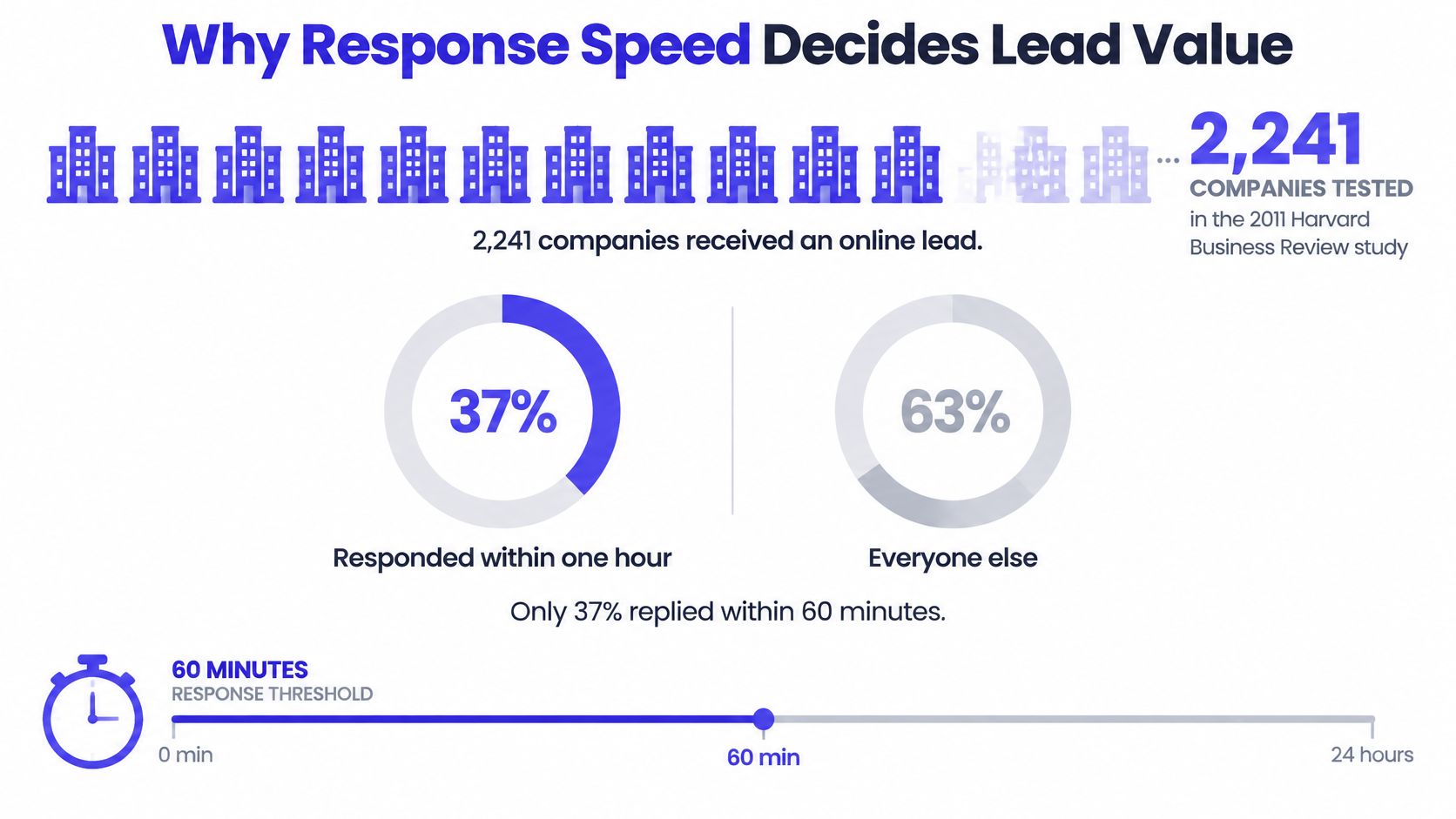
Read those numbers as buckets rather than an average, because workflows have to cover the slow tail as well as the fast front. An average hides the tail, and the tail is where deals die.
| Response window | Finding | Source |
|---|---|---|
| Within 5 minutes vs 30 minutes | A 30-minute wait made teams about 100 times less likely to reach the person and 21 times less likely to qualify the lead | 2007 Lead Response Management Study figures compiled by Nick George |
| Within 1 hour vs one additional hour | Nearly 7 times more likely to qualify the lead | Analysis of about 1.25 million leads from 42 U.S. companies |
| Within 1 hour vs at least 24 hours | More than 60 times more likely to qualify the lead | Same analysis of about 1.25 million leads |
| Within 1 hour | 37% of 2,241 companies responded | 2011 Harvard Business Review response test covered by Callingly |
| 1 to 24 hours | 16% of companies responded | 2011 Harvard Business Review response test covered by Callingly |
| Longer than 24 hours | 24% of companies responded | 2011 Harvard Business Review response test covered by Callingly |
| Never | 23% of companies never responded | 2011 Harvard Business Review response test covered by Callingly |
| Among replies within 30 days | Average response time was 42 hours | 2011 Harvard Business Review response test covered by Callingly |
The five minute line
The 2007 Lead Response Management Study figures compiled by Nick George are the sharpest version of this, drawn from more than 15,000 web-generated leads, over 100,000 call attempts and six companies. Compared with contacting a lead within five minutes, waiting 30 minutes made sales teams approximately 100 times less likely to reach the person and 21 times less likely to qualify the lead. A later analysis of inbound leads found higher conversion when the first call happened inside five minutes.
Those are contact and qualification odds. They are not closed-revenue multipliers, and treating them as forecast inputs will produce fantasy numbers. Use them to set priority and staffing, not to promise a board a conversion rate.
The same logic applies to outbound-generated opportunities, with one adjustment. A cold email reply may not require a five-minute phone call, but it does require an agreed service window. If marketing owns the inbox and sales owns the calendar, the handoff needs a clock both teams can see. Otherwise the lead sits in a shared label while each team assumes the other is working it.
What the CRM has to do about it
- Timestamp creation. Every record carries the moment it arrived, not the moment someone imported it.
- Escalate on silence. High-intent inbound leads escalate when no attempt is logged within five minutes. Outbound-generated opportunities get the agreed service window instead.
- Keep both timestamps. First attempt and first conversation are stored separately, because the gap between them is where coaching happens.
Those fields turn speed into an operating standard. Marketing can see whether replies are moving into the CRM quickly. Sales can see which attempts happen inside the window and which conversations stall after first contact. Managers get a concrete question for review: did the lead wait because routing was slow, because ownership was unclear, or because the first attempt missed the buyer?
Building Clean CRM Records Before Leads Reach Sales
Bad records cost more than bad copy. Salesforce data cited by Casey Response's lead response analysis puts sales and service CRM environments at roughly 15% duplicate records, with about 20% holding useless or dead data. Every duplicate distorts ownership, every dead record inflates the pipeline, and both make forecasting a guess dressed as a number.
Identity resolution has to run before a prospect enters outreach, not after a rep complains. Normalized company domain is the primary key. Email address, LinkedIn or account identifiers supplement it, and subsidiaries, franchises and shared corporate domains need explicit handling rules so a franchisee doesn't get merged into head office.
Here's how that plays out. A contact arrives once from a list import with a personal Gmail address and no company field. Three weeks later she replies to a cold email from her work address on the company domain. Without domain matching, that's two records, two owners, and a rep cold-calling someone who already replied. With domain matching, the records merge, one owner works the account, and the campaign history survives the merge.
The data model matters more than the dedupe tool
Store person, account, opportunity and campaign as separate entities. A single lead row holding every interaction forces a choice between losing history and duplicating it, and teams almost always choose wrong. Separate entities let one person move between accounts, one account carry several opportunities, and one campaign claim credit without overwriting anything.
Checks to run before any sync
- Qualification fields: every field the profile depends on must be present, not blank or guessed.
- Email syntax and domain validity: catch the typo domains before they burn sender reputation.
- Country and industry values: controlled lists, not free text, or reporting splits into forty spellings.
- Consent or lawful-basis metadata: where it applies, stored on the record rather than in a policy document.
- Last verified timestamp: so a list bought 14 months ago doesn't get treated as fresh.
Then schedule dedupe twice: at ingestion, using exact matching on domain and email, and periodically, using probabilistic matching for near-misses and name variants. Merges must preserve campaign membership, activity history, attribution and the surviving record's audit trail. Cleaner records prevent duplicate outreach, cut false lead counts, and make accepted-lead, meeting and opportunity rates worth reading. Sourcing discipline upstream is part of the same job, which is why the approach to building prospect lists determines how much cleanup happens later.
How to Hand Off Qualified Leads Without Losing Them
A qualified lead can enter the CRM with the right title, company, source and fit notes, then still stall because the handoff has no owner. The record quality work is done. The scoring logic has flagged the prospect. What fails is the operating rule that says who acts, by when, with what context, and what happens if nobody moves.
Think of the handoff like a relay baton. Marketing does not finish the race by dropping the baton over a wall. The rep needs the baton in hand, with the route and timing written down.
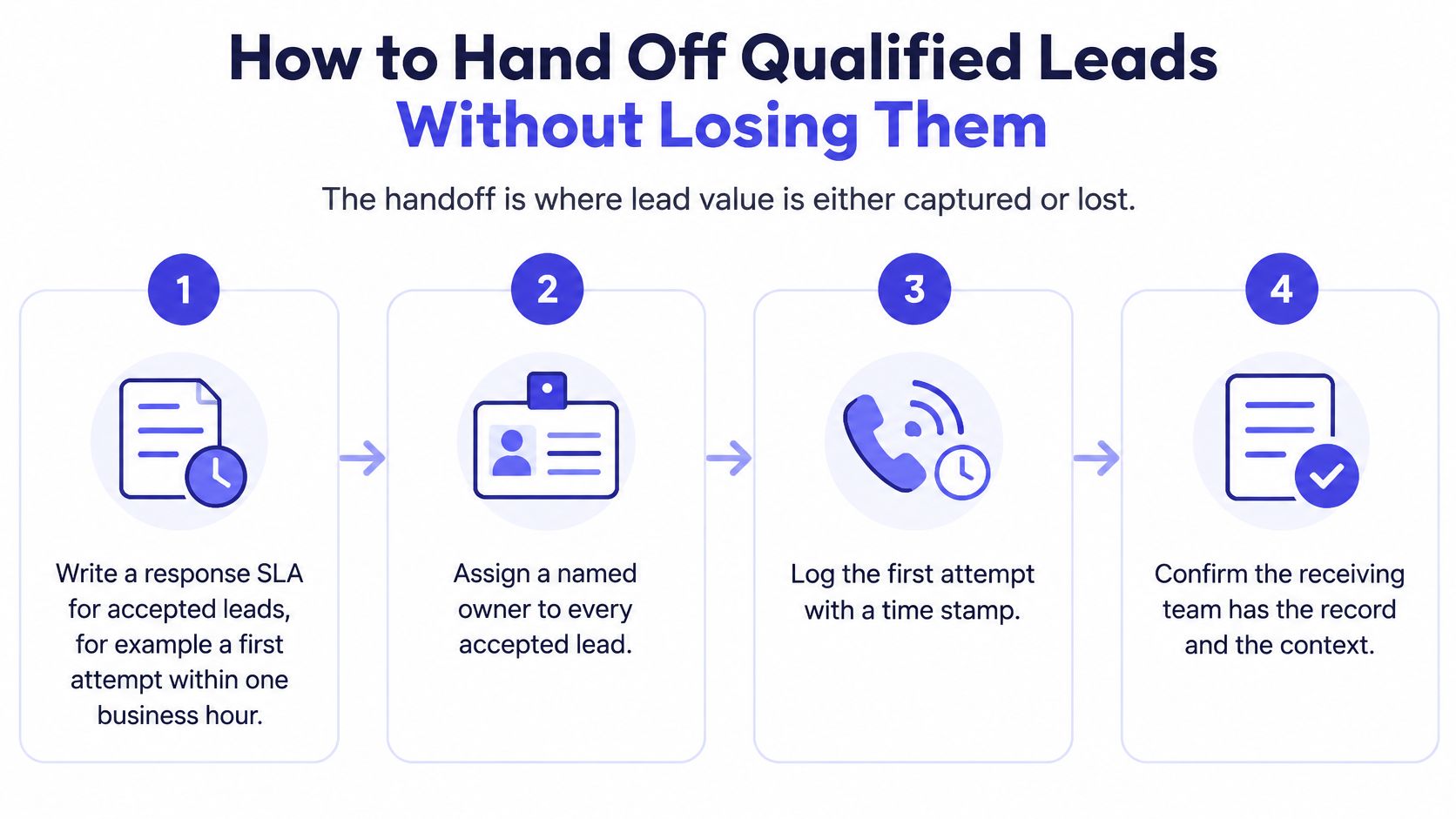
Use one handoff checklist for every accepted lead:
Name the owner at acceptance. The CRM record should show one responsible rep, not a team queue and a hopeful mention in Slack. If no owner is assigned, the lead has not been handed off.
Attach the minimum context packet. Include company, role, source, last touch and the specific reason the lead qualified. That reason matters more than a generic status. “Marketing manager at a 40-location home services company, opened pricing page twice, fits current service area” gives the rep a starting point. “Hot lead” gives them a guess.
Create the follow-up task at acceptance and notify the rep in the same step. The task should carry the owner, due time and first action. The notification should point straight to the CRM record. A rep should not have to check a dashboard, infer priority or rebuild the story from activity logs.
Log every attempt with an outcome code. Use a small controlled set: reached, no answer, wrong contact, meeting booked, bad data or disqualified. Codes keep activity history readable. They also stop a rep from placing nine calls under one vague note like “followed up.”
Make rejection reasons mandatory. If the lead is rejected, the rep chooses a reason before the record leaves the queue. Bad data, poor fit, duplicate, unreachable and out of territory are useful because each one points to a different fix. A blank rejection reason turns the handoff into a black box.
Keep a daily unworked queue with a 24-hour threshold. Any accepted lead with no logged attempt after 24 hours goes to the queue. The sales manager reviews it once per business day and assigns a new owner or records a reason for the delay. This step catches the gap between a process that looks correct on paper and a rep who is buried in calls.
Review outcomes every two weeks and feed them into targeting. Rejections concentrated in one job title, industry or company size are targeting instructions. Repeated bad-data rejections point upstream to list quality. Meeting-booked outcomes show which reasons for qualification deserve more weight.
The uncomfortable bit: a lead can score 90 and still be worthless. A high score does not prove intent. Ownership, context and a response clock turn a qualified record into a conversation. A structured B2B sales prospecting process built around defined handoffs beats a clever scoring model every time.
The CRM should make the next action obvious. If a rep opens a record and has to ask who owns it, why it qualified or when the first touch is due, the handoff is incomplete. Fix the record and the rule before adding more leads to the top of the funnel.
Pipeline Metrics That Show Where Leads Stall
A pipeline report that only counts arrivals tells you how much you spent. A report built to find stalls tells you where to fix something. The measurement set is small, and each metric has a specific leak it exposes.
| Metric | How to calculate | Warning sign |
|---|---|---|
| Median time to first touch | Median minutes from acceptance to first logged attempt | Rising week over week |
| 90th percentile time to first touch | Time within which 90% of leads get a first attempt | Long tail beyond the agreed window |
| Contact rate | Leads reached divided by leads assigned | Below the baseline for the source |
| Qualification rate | Qualified conversations divided by contacts | Drops after a targeting change |
| Accepted to opportunity conversion | Opportunities divided by accepted leads | Accepted leads stuck at Assigned |
| Data-error rejections | Rejections coded bad data divided by delivered leads | Any upward trend |
The median tells you whether the SLA holds for most leads. The 90th percentile tells you whether the slow tail is a rounding error or a structural gap, such as leads arriving outside business hours and sitting until Monday. Track both, segmented by source, territory and business hours, as the VoISO breakdown of lead response metrics recommends, because an aggregate hides which segment is broken.
Contact and qualification rates test the list and the offer against what reps experience on the phone. Accepted-to-opportunity conversion catches the quietest failure in the whole system: leads that were accepted, assigned, and never seriously worked. If accepted volume holds and opportunities fall, the problem isn't the leads.
Split rejections before you buy anything
Separate rejections into bad data and poor fit. They have different owners, different fixes, and completely different implications for a provider. Data-error rejections point at enrichment, verification and list hygiene. Fit rejections point at targeting, qualification criteria and offer copy.
Then add a reconciliation report per source, comparing delivered, accepted, contacted, qualified and converted counts in one view. Gaps between delivered and accepted are a criteria problem. Gaps between accepted and contacted are a response problem. Gaps between contacted and qualified are a targeting problem.
The reason this matters more than another dashboard: Validity's State of CRM Data report found that only 26% of marketers say more than three-quarters of their CRM data is accurate and complete, and 58% of B2B sales professionals discover bad data only after contacting a prospect. Adding AI scoring or more outbound volume on top of unreliable records makes the output worse, faster. Check the data-error rejection trend before approving any volume increase.
Authenticate Sending Domains Before You Raise Volume
Treat each sending domain as a CRM record with fields, statuses and a pass or fail gate. That matters because a domain failure shows up downstream as fewer delivered emails, fewer replies and lost Assigned leads in the CRM. The scoring model can look fine while the infrastructure blocks the flow before a lead ever reaches sales.
Google's Gmail sender requirements require every sender delivering to Gmail accounts to authenticate with SPF or DKIM, with valid forward and reverse DNS including PTR records. High-volume senders must also publish DMARC, and the visible From domain has to align with the authenticated SPF or DKIM domain. Google also directs senders to keep the spam rate reported in Postmaster Tools below 0.3 percent in that same sender guidance.
Microsoft sets its high-volume line at more than 5,000 emails per day, and since May 5, 2025 it has enforced SPF, DKIM and DMARC for those senders, as Mailjet's summary of Microsoft sender requirements sets out. SPF lists the authorized sending servers, DKIM signs the message, and DMARC tells the receiving provider what to do when authentication fails. Non-compliant mail can land in spam, and spam placement during a campaign launch is indistinguishable from a bad offer until separating the two becomes impossible after the campaign has already burned the domain.
The threshold matters even for campaigns well below 5,000 a day. Shared infrastructure across several clients concentrates volume onto the same sending systems, and a busy month can cross the line without anyone deciding to cross it. That is why the domain record needs the same discipline as a lead record. Ownership, status and timestamps should be visible before volume changes.
Fields on the sending-domain record
Store SPF status, DKIM status, DMARC status, alignment result, PTR result and the latest complaint rate. Block sequence activation until every field passes. Then raise volume in steps, logging inbox placement at each step so a placement drop gets caught at 200 sends instead of 2,000. If complaints approach the threshold, cut volume and review targeting, list quality and message relevance before adding anything new.
Decide Whether to Add Lead Volume
A new batch of names should have to pass a gate before anyone buys, imports or scrapes it. The gate checks whether the sales workflow can absorb the leads already arriving. Use four yes or no checks. A no means the path needs repair first.
- Every accepted lead this week has a named owner. Not a queue, not a team alias. A person who can be asked about it.
- The response SLA is written and the first attempt is timestamped. If time to first touch isn't recorded, it isn't managed.
- Every rejection has a reason code that separates bad data from poor fit. Without codes, the next campaign repeats the same targeting error.
- Median and 90th percentile time to first touch are visible by source. One number per source, reviewed weekly.
A no on any of these means more names will create more stalled Assigned records. The constraint is the workflow's capacity to absorb arriving leads. More volume entering a weak handoff moves the bottleneck upstream. It gives sales more records to ignore, more records to misroute and more records that look active in the CRM while no real conversation has started.
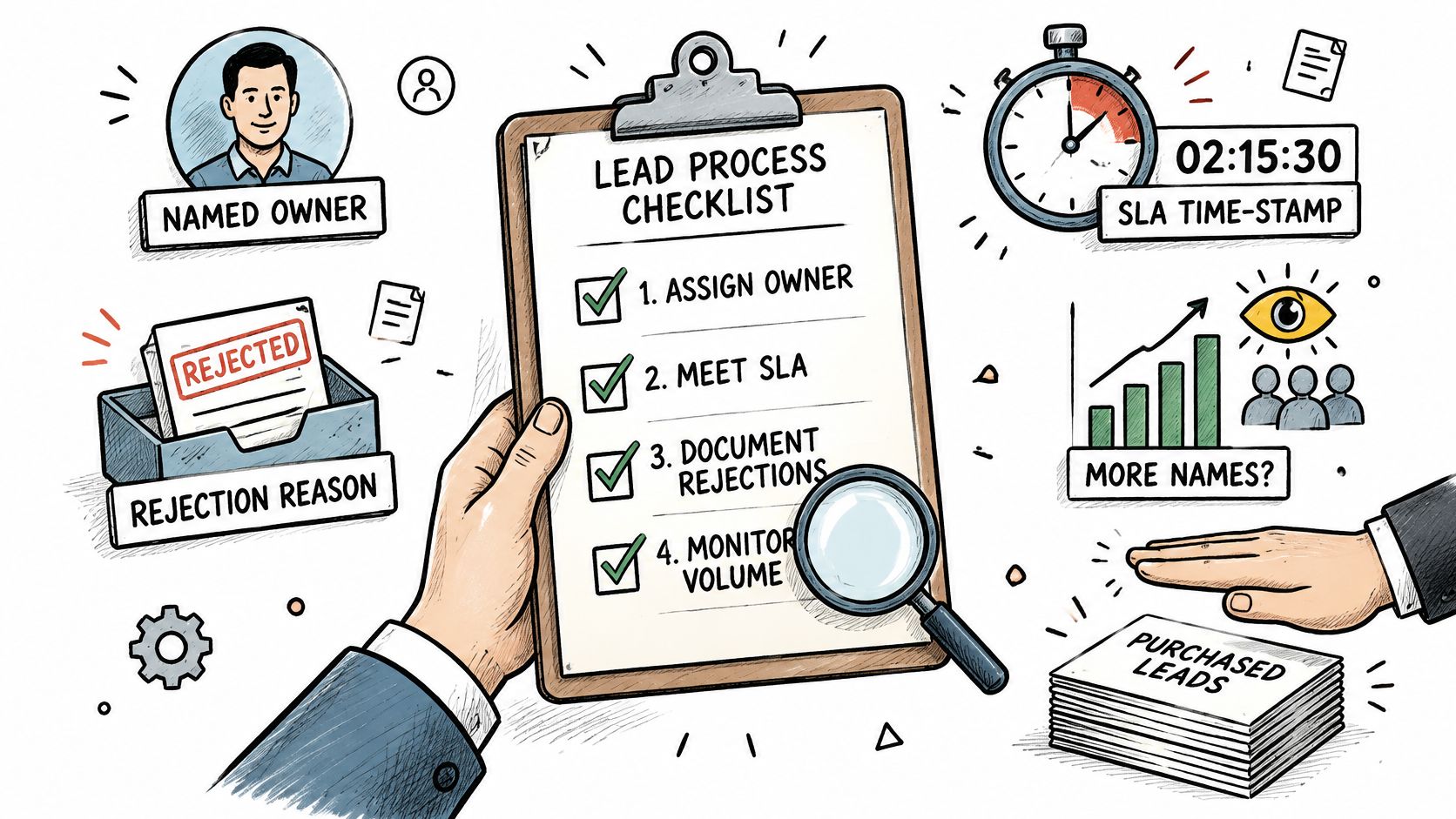
Think of lead volume as water entering a pipe. If the joints leak, opening the valve raises waste, not delivery. In a CRM, the joints are the handoff rules: who owns the record, when the first touch happens, why a lead was rejected and how the source is measured.
When an outside provider sends the outbound, require three artifacts in the CRM rather than a promise. A match on normalized company domain, so records merge instead of duplicating. A handoff packet with source, role and qualification reason, so the rep can open the call with context. An outcome code after every attempt, so the next campaign learns something. A source should be judged by the quality of those artifacts and the speed of the follow-up, not by a quoted meeting total alone.
This week, write the handoff rules for one source, then compare time to first touch against them for seven days. Watch three points in particular: whether each accepted lead has an owner within the agreed window, whether the first attempt is timestamped, and whether rejections carry a reason code. The gap between the written rule and the week's data is the most useful number in the pipeline.
If CRM record quality and handoff rules are the part of outbound that keeps slipping, IronPeak Marketing runs managed cold email campaigns on its own domains and inboxes, with CRM integration and lead handoff so accepted conversations arrive with an owner and a timestamp attached. The work is done for you, from prospect research and follow-up sequences through to the sales calls booked on your calendar, and clients pay per qualified lead rather than a retainer. Visit IronPeak Marketing to see how the handoff works before the next batch of names gets imported.