8 Prospect Research Tools for Cold Email Operators in 2026
Review 8 prospect research tools for cold email outbound. Compare discovery, enrichment, verification, and qualification, with real trade-offs for each in 2026.
The export finishes and the spreadsheet looks like progress. Eight thousand rows, clean columns, titles that sort neatly by seniority. Then the first campaign goes out, a fifth of it bounces, and by week two the sending domain is landing in spam.
That sequence is common because list building gets treated as a purchase instead of a data operation. Between 10% and 25% of customer and prospect records may contain critical errors at any given time, including wrong contact details, stale job titles, and inaccurate company attributes, according to Docsumo's collection of bad-data statistics. The same roundup reflects a wider confidence gap: many B2B revenue teams suspect large parts of their CRM and ERP records are unreliable. Every stale title or dead mailbox that survives export spends budget twice, once on the record and again on the send.
So this list sorts eight prospect research tools by pipeline position: sourcing accounts, enriching contacts, verifying addresses, and deciding who is worth a send. Each entry names the workflow it fits, the credit or contract behind it, and the point where spend turns into risk for the sending domain.
1. Apollo.io
A construction-software team filters Apollo for VP Operations at firms with 50 to 200 employees in one state, exports 800 contacts, verifies them elsewhere, and sends only the addresses that pass. The platform's value is compression: in one login, its searchable database, sequencing tool, and filters for title, headcount, industry, funding stage, technology stack, and location take a target definition from a blank screen to a workable list.

That example also defines Apollo's position in the chain. It is strongest for sourcing and early enrichment, while contact and phone reveals can move records into a CRM or outbound platform. Its limits sit downstream: verification and sending decisions still belong outside the export.
The trade-off is a shared index. Identical filters can surface the same records for competing outbound teams, especially in narrow niches. A practical saturation metric is the share of first replies in which prospects say they already receive this pitch weekly; when that share rises, Apollo should operate as one source inside a wider list-building workflow.
Four checks before the export leaves Apollo
- Reveal emails last: pre-filter by industry and headcount so credits go to records that already match the account definition.
- Strip role accounts: remove info@, sales@, and admin@ addresses before sequencing; they may pass an export filter without representing a buying role.
- Sample-check titles: compare 50 contacts against LinkedIn before scaling to 800; title mismatches make otherwise valid email a low-value spend.
- Keep sending separate: do not run a campaign through Apollo's sending module on the primary domain. Let the export feed the sending setup chosen for the campaign.
The domain decision matters because mailbox rules punish volume tied to poor engagement. Since February 2024, Gmail treats senders who deliver 5,000 or more messages to personal Gmail accounts within 24 hours as bulk senders, requiring SPF and DKIM, a published DMARC record, and a user-reported spam rate below 0.1% while never reaching 0.3%, according to Google's bulk sender guidelines. Google calculates that rate daily, and placement can remain depressed after the list is fixed if the spam complaint history stays above the threshold.
2. ZoomInfo
A niche directory hands you 300 target accounts, and each one needs two stakeholders before a sequence makes sense. ZoomInfo is built for that job: an enterprise account-intelligence platform carrying contact and company records, org charts, intent signals, and CRM enrichment. Its depth sits in mid-market and enterprise accounts, where mapping a buying committee matters more than pulling one email address per company.
The trade-off is commercial rather than technical. Contracts are annual and priced for teams that will run thousands of enrichments, which makes it a poor first purchase for a small outbound pilot. It earns its seat as an enrichment layer on accounts sourced somewhere else, not as the source itself.
Map committees instead of pulling lists
Take those 300 directory accounts and run them through enrichment. Surface the operations lead and the finance lead on each, then sequence both contacts with different angles: throughput for one, cost control for the other. Fewer records, more context per record, and a defensible reason to pay for depth. Three rules keep the spend honest:
- Enrich known accounts. Run existing lists through it rather than pulling broad new ones, which keeps usage costs predictable against an annual contract.
- Map two or three stakeholders. A single contact per account is a single point of failure when that person changes roles.
- Sample-check its output before scaling. Export 50 enriched records, confirm titles and email patterns against a second source, and calculate the match rate. Accuracy varies by industry, so the sample tells you what the full pull will cost in bounces.
Enrichment only pays off inside a working system. Eurostat data reported in Landbase's CRM statistics roundup shows 28.5% of European Union enterprises with at least 10 employees used CRM software in 2025, up from 25.8% in 2023. Records that arrive without a CRM destination, an owner, and a next step tend to sit unused, which turns an expensive subscription into a spreadsheet exercise. Routing enriched contacts into a pipeline that works them is the gap covered in this breakdown of what prospect research involves.
3. Cognism
Who is allowed to call the numbers a database sells? That question comes before list size. Cognism's answer is phone-verified mobile numbers, Do Not Call screening, and European coverage: contact data handled under GDPR, with each mobile confirmed by a person before it reaches a rep.
Geography decides whether the premium holds. Teams selling into the UK and Europe get one of the more defensible sources available. For US-only campaigns the differentiation thins out fast, and the cost is hard to justify against a cheaper database plus a standalone verification pass. Either way the tool sits at the sourcing end of the chain: records leave it and pass to a verifier and a sequencer downstream, so the spend only makes sense when the phone data gets worked.
Report phone and email separately
A recruitment firm targeting engineering managers in the UK pulls mobile-verified contacts for a two-touch email and call sequence, then tracks connect rate separately from email reply rate. Blending the two into one "response rate" hides which channel produces qualified conversations. Split the metrics and the answer is immediate: email opens the door, or the call does.
- Screen before dialing: confirm the Do Not Call screening covers the jurisdiction being called.
- Reserve it for high-value accounts: phone follow-up only works when a human can work the list.
- Keep the denominator clean: qualified calls and email replies are different currencies and shouldn't share a metric.
If the same team sells into the United States, the compliance mechanics change. The FTC's CAN-SPAM compliance guide requires an opt-out mechanism that stays functional for at least 30 days after a message is sent, and a sender has no more than 10 business days to stop emailing someone who opts out. Suppression has to sit centrally, blocking the address across every sequence, mailbox, and follow-up job. Pulling a contact from one campaign while another automation can still reach them isn't compliance. The same guide covers campaigns another company runs on the sender's behalf, so outsourcing the sending doesn't outsource the obligation.
4. Lusha
A referral partner sends over a list of 120 accounts. Enrich each one with the decision-maker's email, load the records into a sequence with a first line built on the company's recent hiring activity, and skip every account that fails the ICP check before a credit is spent. Small, specific, high value per record. That is the workflow Lusha is priced for.

The product itself is a browser extension and contact database that surfaces emails and phone numbers from LinkedIn profiles and company sites. It enriches lists you already have. The trade-off is credit economics: every lookup draws from the same balance, so the tool rewards operators who arrive knowing exactly which accounts they want and charges the ones still browsing for ideas. Credits are the constraint, and the constraint shapes who should buy it.
Automation has made that constraint matter more. 81% of sales teams surveyed across 27 countries were experimenting with or had fully implemented AI in 2024, according to Salesforce's 2024 sales AI statistics. In the same Salesforce survey, only 35% of sales professionals completely trusted their organization's data accuracy. More automation layered on unverified records multiplies errors instead of reducing them, which makes the ICP screen before enrichment the step that protects both the credit balance and the sending domain.
Named accounts only
- Filter first, enrich second: run the ICP check on company fit and hiring activity before a credit is spent.
- Verify the output: extensions return best guesses as often as confirmed addresses, and unverified guesses end up as bounces.
- Stay narrow: named-account work is the fit; broad prospecting burns the balance on records that never enter a sequence.
5. Clay
A trade association directory gives you 2,000 companies. Some fraction of them fit the ICP, and nobody knows which until the research runs. Clay handles that middle stretch of the chain, between sourcing and sending: rows start as a list, then columns call providers, scrape pages, hit APIs, or run AI agents to classify and summarize each record. The concept that matters for cold email is waterfall enrichment. When one provider returns nothing, the next is tried automatically, which lifts coverage without a person re-running lookups by hand.
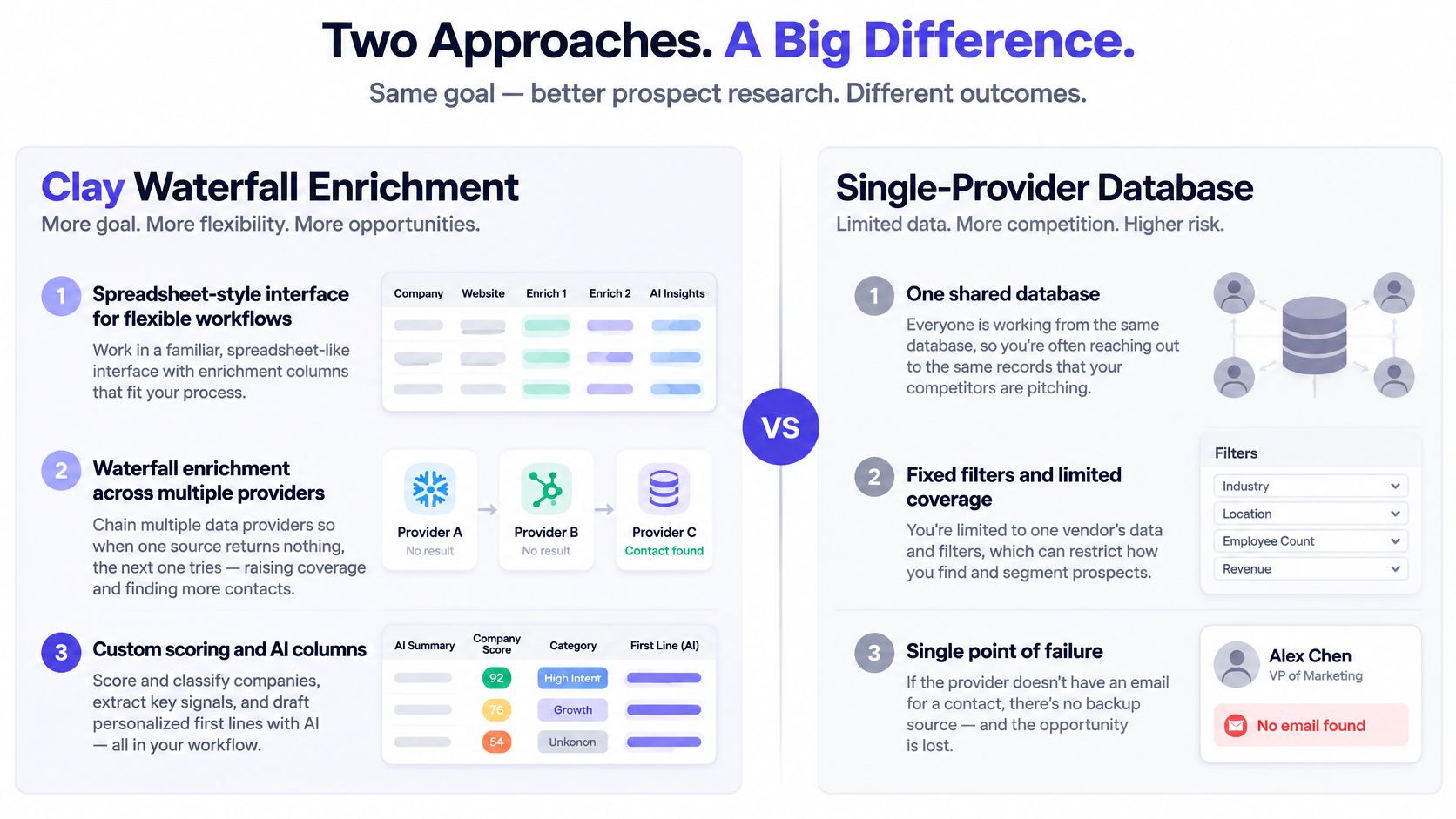
The trade-off is setup cost. This is the most flexible tool in the stack and also the one that fails without notice, because sloppy fit criteria get applied at scale with nobody reviewing the output.
Score before spending
Run the 2,000 rows through a fixed sequence: scrape each homepage for service keywords, score for fit against the ICP, run waterfall email lookup on the top 400 only, then push survivors to the sending tool with an opening line generated from the scraped page. The scoring column is what turns a credit budget into a filter. Enrichment spend lands on accounts that already cleared the screen, and the other 1,600 never cost a lookup.
The automation case behind this is strong. A 2026 survey of 4,050 sales professionals found 87% of sales organizations already using AI for prospecting, lead scoring, forecasting, or drafting, and respondents expected fully implemented AI agents to cut prospect-research time by 34% and email-drafting time by 36%, per Salesforce's State of Sales research. Those hours only stay saved when scoring runs before enrichment. Faster lookups pointed at unqualified accounts burn the same credits, just sooner.
- Keep raw provider outputs: one column per source so every email traces back to whoever produced it.
- Verify before anything ships: apply the same deliverability check described for Hunter.io, since a waterfall that returns more addresses also returns more bad ones.
- Document the scoring logic: a score nobody can explain can't be defended when an account gets dropped. For the wider sourcing sequence this feeds into, this B2B sales prospecting framework covers list to first touch.
6. Hunter.io
A directory scrape returns 600 contacts. Run domain search to pull each company's email pattern and any addresses Hunter already holds, use the email finder to predict addresses for the named decision makers, then verify every candidate before it touches a campaign. Those three jobs are the whole product. Hunter is a cleaning layer that sits after sourcing and before sending, and its value shows up as bounces that never happen. What it cannot tell you is whether a company belongs in your market, so the list has to arrive already qualified.
Verification is a gate, not a suggestion
Catch-all domains go into a separate segment and get sent last, from the healthiest inbox. Credits burn on every check, so verification spend scales with the size of the list you clean, which is why the re-check rules below carry real cost.
- Re-verify anything older than about 30 days before a campaign, since roles and mailboxes move.
- Confirm the pattern first: run domain search before guessing an address for a senior contact.
- Segment catch-alls: don't mix them into the primary send.
A verified result is a snapshot. Mailboxes close and roles change, so a clean check from last month guarantees nothing about today's send.
Cleaning the list is one check; authentication is a separate one, handled in different tooling. Microsoft routes mail from bulk senders to Junk unless SPF, DKIM, and DMARC are all in place, with DMARC aligned to at least one of them, and continued non-compliance can eventually lead to rejection, per Microsoft's guidance for high-volume senders. Both checks belong in the pre-campaign routine. For the warmup, volume pacing, and domain structure that sit around them, these email deliverability best practices cover the full setup.
7. LinkedIn Sales Navigator
An operations director at a mid-size logistics company starts a new role in March. A saved search in Sales Navigator flags the job change inside 90 days, and the profile lands in a lead list before the first week ends. That is the product's real output: filters covering role, seniority, company, geography, and tenure, plus lead and account lists and alerts when a prospect changes jobs or posts. It provides no verified emails, and its terms restrict automated extraction, so sourcing and timing happen here while every address comes from a compliant enrichment layer downstream.

Timing beats volume
A team selling into logistics turns that alert into a repeatable motion: 150 profiles into a lead list, emails enriched through a separate tool, a short note tied to the new role. New hires inherit priorities and often have room to change vendors, which is a stronger signal than any filter on company size. The spend math stays honest too. A saved search costs nothing per result, while every verified address pulled downstream burns credits, so the narrower the list going in, the less waste coming out.
Buyer behavior backs the narrow approach. In a survey of 632 B2B buyers run in August and September 2024, Gartner found 61% preferred an overall buying experience with no sales rep involvement. Buyers arrive with a shortlist forming before anyone replies, so the first touch has to reference something real about their situation instead of a generic value claim.
The edge decays fast. A trigger segment built on job-change alerts outperforms a static export because the signal itself expires, and a saved search left to accumulate past a few hundred results turns back into a database rather than a target list. Refresh weekly and keep the trigger tight.
8. Apify
A directory scrape for commercial property managers across a metro area returns every listing in the region, including firms that closed, rebranded, or never fit the offer. That unfiltered coverage is the point. Apify's marketplace of prebuilt scrapers, called actors, pulls structured data from maps listings, business directories, job boards, and company sites, and returns CSV or JSON for sources that prospect databases skip.
The trade-off is governance: coverage arrives raw, and the workflow supplies the judgment the scrape cannot.
From raw scrape to sendable records
Export company names and websites, deduplicate by domain, pass the surviving domains into a contact enrichment step, then score against the ICP. Deduplication comes first because paying to enrich the same company twice is the most common waste in a scraping workflow.
A scrape settles who exists in a market. Scoring and verification settle who deserves an email, and the gap between the two is where scraped lists fail. Fresh directory pulls carry a real share of rows with no current role attached, and those are the rows that bounce or reach the wrong person. 46% of sales professionals using AI agents report that data quality issues hurt their sales, and high-performing teams are 1.5 times more likely than underperformers to prioritize data hygiene, per this analysis of Salesforce's 2025 AI agents survey. Every row needs a current role, verified company fit, and a timestamp before it goes near an inbox.
- Check terms and robots rules for every source before running a scraper at scale.
- Store raw output separately from enriched output so a bad run can be traced and reverted.
- Sample-check 20 records and confirm the site, the segment, and the role before scaling.
How the Eight Tools Compare on Role, Fit, and Trade-Offs
Feature matrices make all eight look interchangeable. The differences that matter sit elsewhere: where each tool plugs into the chain from sourcing to sending, and what its spend model does to credit burn and sender reputation as volume grows.
| Tool | Stage in the chain | Credit and deliverability impact | Choose it when |
|---|---|---|---|
| Apollo.io | Sourcing, enrichment, sequencing | Bulk pulls burn credits fast, and heavily shared records arrive already mailed | You want list building and outreach in one subscription and will verify before sending |
| ZoomInfo | Sourcing and enrichment | Premium annual contract that pays back only when account depth shortens enterprise cycles | You map buying committees across mid-market or enterprise accounts |
| Cognism | Sourcing and enrichment with phone data | Priced for larger teams; the premium holds only when dials are part of the motion | Your reps call prospects in Europe or the UK |
| Lusha | Enrichment on a known list | Per-contact reveal credits scale quickly with upload size | You enrich a short account list instead of building volume |
| Clay | Orchestration and waterfall enrichment | Every provider call in the waterfall costs credits, so a weak input list burns spend faster | You want scoring and multi-provider enrichment under your own rules |
| Hunter.io | Email finding and verification | Plans cap monthly lookups and verifications; confirm current limits on Hunter's pricing page | You know the target companies and need addresses found and confirmed |
| LinkedIn Sales Navigator | Sourcing and trigger monitoring | Search and InMail caps limit output, and getting addresses out takes a separate enrichment step | You work named accounts and track job changes or hiring signals |
| Apify | Custom sourcing from niche sites | Pay-per-use keeps cost variable, but every scraped row still costs an enrichment and verification credit | Your market lives in a directory no database indexes and you can maintain the actors |
Read the last column first. A team running email-only outreach into US small businesses rules out Cognism and ZoomInfo on contract shape alone. A team with 200 named accounts rules out Apify's build cost and Apollo's breadth. Match the trigger to your motion, then let the feature list break ties among whatever survives.
Building a Research Stack That Survives the First Send
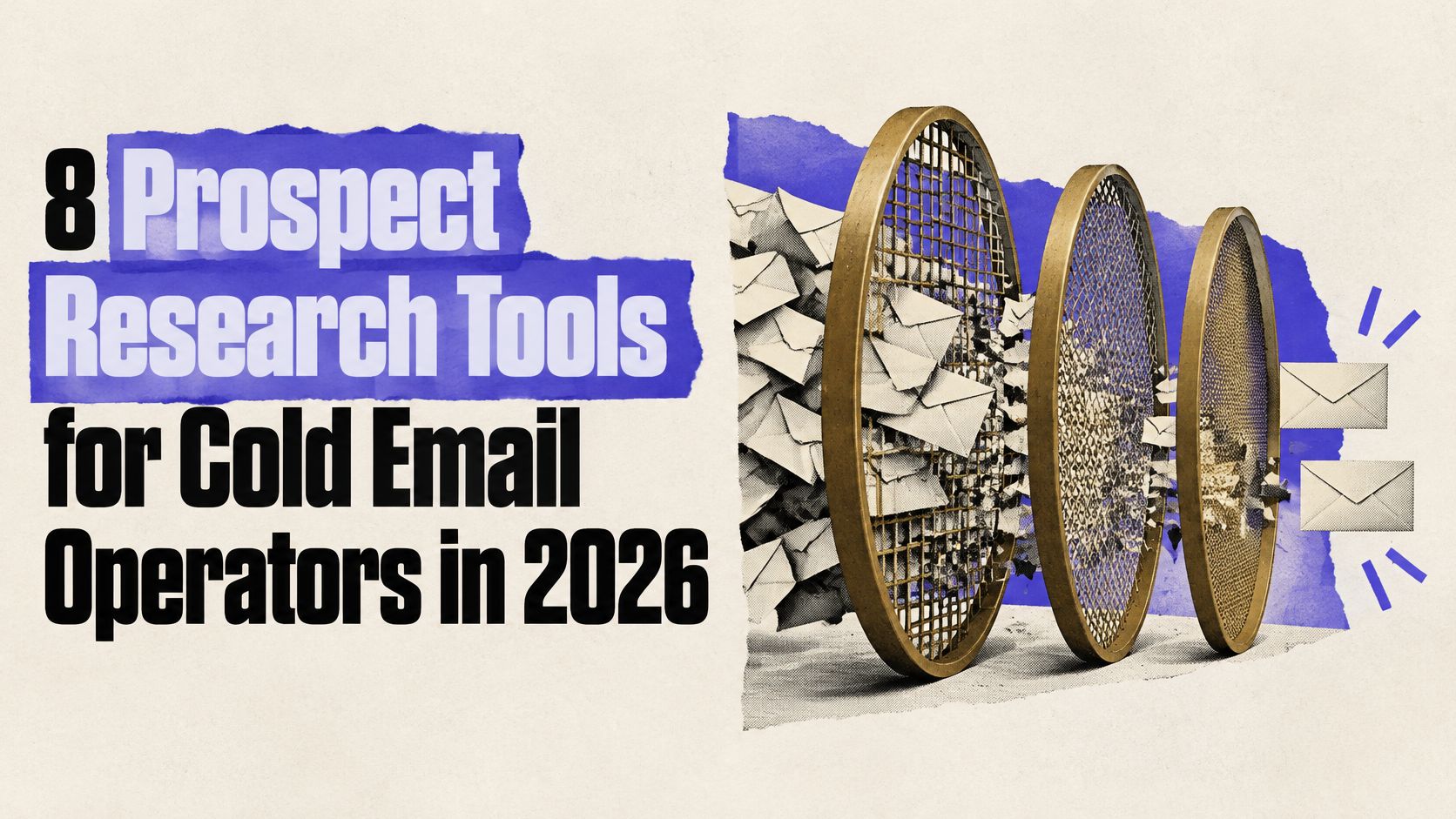
No single tool here handles discovery, enrichment, and verification well, so the stack is the decision. What matters is the order and the gates between each stage.
The order that works
Source niche accounts from the tool that fits the market, either a shared database for breadth or a saved search and a custom scrape for specificity. Score before enrichment so credits go to accounts that fit. Enrich only the scored subset, keep provider outputs in separate columns, and verify every address as a hard gate. Route the send through dedicated domains with SPF, DKIM, and DMARC in place, warmed inboxes, and daily complaint monitoring.
The most common failure is buying a fourth data source when the actual problem is a missing verification step. A test batch exposes it fast: addresses that cleared enrichment but skipped verification bounce in clusters, and the failures trace back to the gate that was skipped, not to the source that produced the records.
Test before committing budget
Run a 100 to 200 contact test with matched ICP definitions before signing an annual contract. Keep the measurements apart:
- Bounce rate per source, so the provider that produced the bad addresses is identifiable.
- Reply rate by title and account tier, not one blended number.
- Qualified conversations per 100 contacted, the only figure that maps to revenue.
The coverage-for-deliverability trade-off from the comparison above applies directly here: a smaller list with a clean send record protects the asset that took weeks to warm. Extra contacts only pay off when the verification gate stays in place. Skip that gate once, and a single bad batch can burn a domain before the replacement inboxes finish warming.
The gap between a list and a pipeline is sourcing, enrichment, and verification done in the right order, on infrastructure that can absorb a bad batch without losing the inbox. For teams that would rather not run this as an internal operation, IronPeak Marketing runs that chain as a managed service: prospect data collected through custom API keys and AI agents rather than shared databases alone, then enrichment, cold email copy, dedicated domains and inboxes, automated follow-ups, and lead handoff into your CRM. The engagement bills per qualified lead rather than a monthly retainer, targets 60 to 90 qualified leads in 45 days, deploys domains, inboxes, and tracking in under 15 days, and starts with a discovery call that requires no credit card and no commitment. If your current lists bounce more reliably than they reply, visit IronPeak Marketing to see how the managed system works.